

Real-Time School Bus Fleet Management for Student Safety
Enhance Safety & Efficiency With Student Transportation Software
Razor Tracking supports school bus fleet operations with GPS tracking, engine diagnostics, maintenance scheduling, and dash cameras to ensure safety and efficiency.
With the Public View features, parents receive a private link from school administrators that they can use to monitor their child’s bus route from a browser. There is no need for parents to log in or have access to the software. Parents can monitor bus routes in real time for timely pickups and drop-offs, offering them greater peace of mind.
All buses are visible on one screen with the Razor Tracking platform—even during inclement weather—so schools can maintain a safe environment while prioritizing budgets and efficient operations.


Geofencing for Student Safety
Our Geofencing Enter/Exit Report allows school staff and administrators to quickly see and locate the entire fleet of buses.
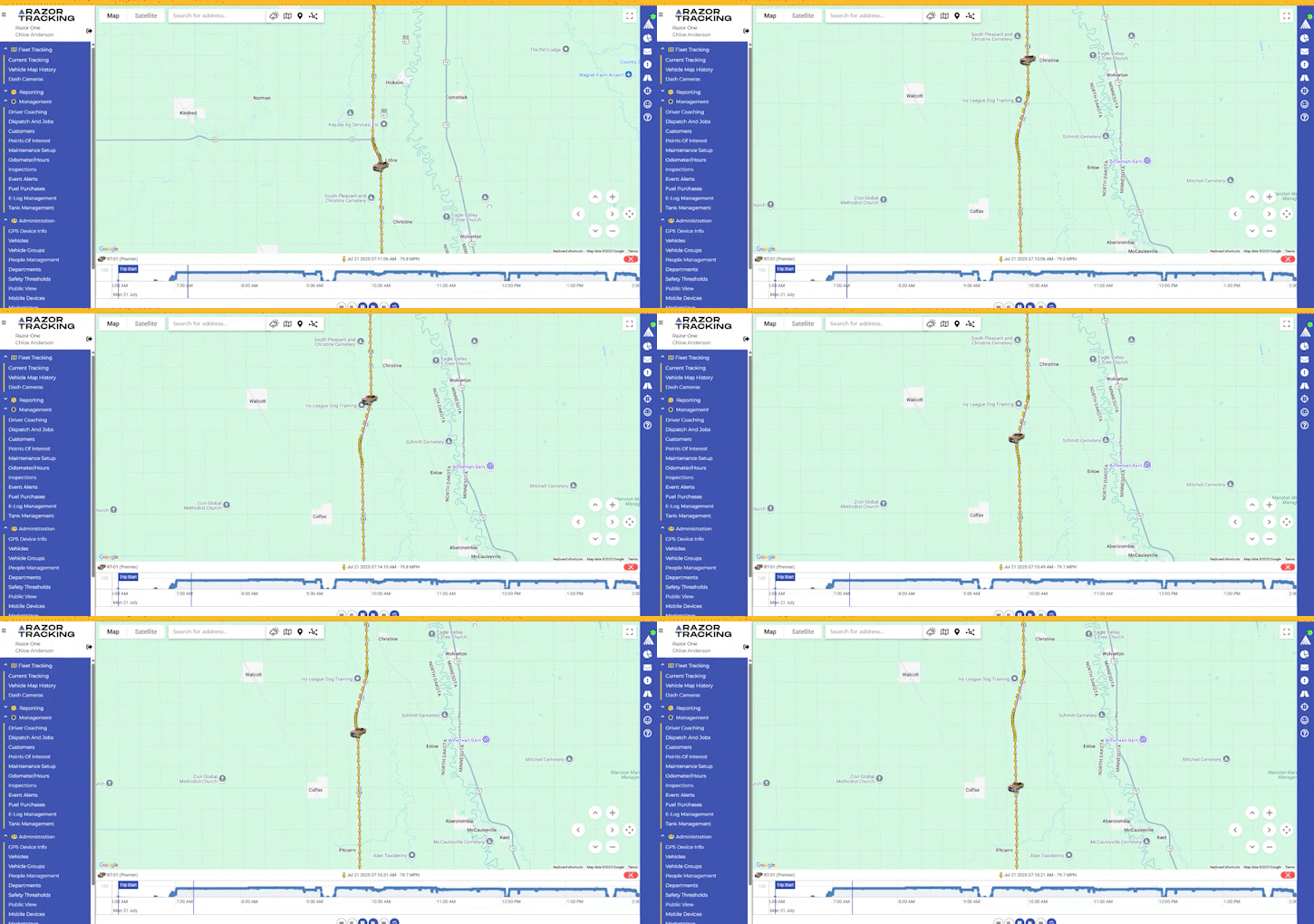
School Bus Routing & Trip Replay
The animated vehicle trip replay feature allows school administrators to track the history of school buses, including routes, when and where students were picked up, and more.
Maintenance reminders and alerts | |
Historical route playback and reporting | |
Equipment usage and engine hour tracking | |
Geofencing and job site alerts | |
Monitor all your equipment on one screen |
Who Uses Razor Tracking?
Northern Cass School District is helping parents feel less anxious when their most precious cargo is riding a bus to and from school. This rural school district uses Razor Tracking software to offer another level of safety and security for its students.
School Bus Routing Software FAQs
What does school bus fleet management include?
Razor Tracking’s solution includes both the physical hardware installed in the buses, such as real-time trackers and dash cameras, and the cloud-based software used to monitor them. Using an intuitive dashboard that consolidates all of this data, school staff can gain a complete view of the entire school bus fleet.
The software enables your district to handle school bus routing, track student safety, monitor driver behavior, and schedule vehicle maintenance. Parents can monitor their child’s bus location in real time to ensure they are on time for pickup and drop-off and confirm when their student arrives at or leaves school.
How do parents know their child is safe?
Student safety is a top priority for school districts. With Razor Tracking’s school bus tracking solution, your district can monitor exact bus locations, ensure drivers are following speed limits, and receive alerts if a bus deviates from its route.
Our AI dash cameras function as your “second set of eyes” to monitor the cabin and road to ensure drivers aren't distracted and are following safety protocols. Parents can track their child’s bus so they always know where their student is.
Can parents and staff track buses on the go?
It’s quick and easy for parents as they do not need to log in or request access to the software. Instead, school administrators leverage the “Private View” feature but sharing private links for each student’s unique bus route. Then, parents can open the link in a browser on their device and track their child’s bus route.
Does your student transportation software help with route planning?
Yes. By analyzing trip replays and traffic data, you can build more efficient routes that minimize time on the road, reduce fuel consumption, and make students’ pickup and drop-off schedules more consistent and reliable.
Additionally, schools can use the software for designated activity buses when they take students to sporting events or other school activities. Planning and tracking these routes is especially helpful if students arrive later at night due to the event.
How does the platform handle school bus maintenance?
Preventive maintenance is key to keeping your buses on the road and avoiding unexpected issues when students are on board. Our software pulls engine diagnostic data directly from the vehicle and allows you to set up automated maintenance alerts. For example, set an automated oil change notification that will trigger when the bus reaches a certain mileage after the last service.
You can configure notifications based on mileage, engine hours, or a set calendar schedule so you never miss oil changes, brake inspections, and routine tune-ups.